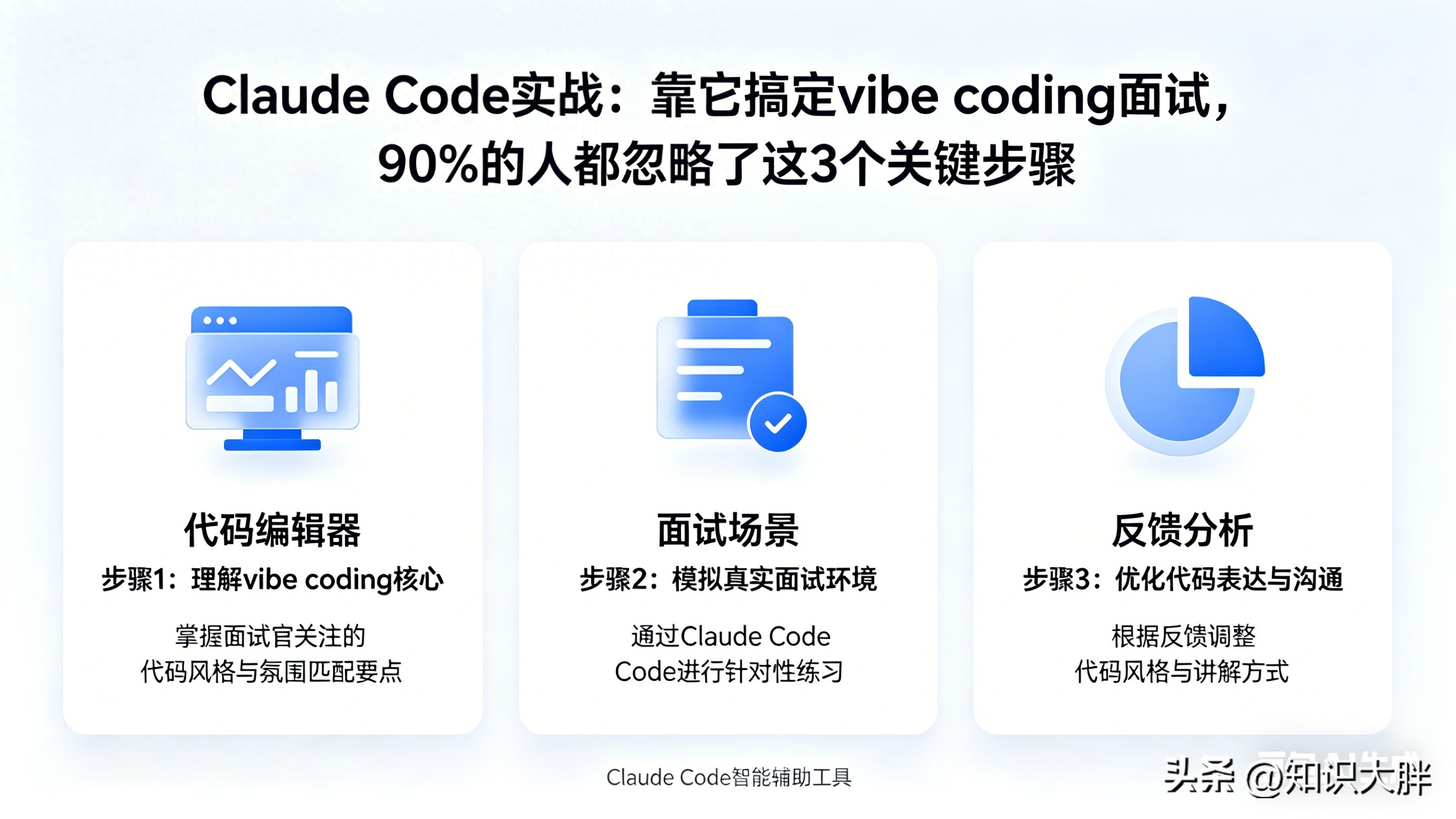
Introduction: New Interview Challenges and AI Tools
Technical interviews have reached new heights! While most programmers are still focused on practicing algorithms, a new trend called “vibe coding interviews” is quietly gaining popularity. This approach involves coding manually first and then using AI tools for optimization, testing both hard skills and the ability to use AI effectively.
One programmer faced this unfamiliar assessment, which focused on creating an AI agent to handle employee benefits and salary inquiries—tasks that HR teams often struggle with. Instead of going in unprepared, he used Claude Code to build a complete practice project, successfully passing the interview.
This appears to be a success story of “AI-assisted preparation,” but it raises a critical question for all programmers: Are AI tools a preparation miracle or a crutch that leads to a loss of core skills? Can using Claude Code for preparation truly replicate this success?
Key Technology Overview: What is Claude Code?
Claude Code is a local AI coding assistant launched by Anthropic. It supports CLI terminals and IDE plugins (compatible with VS Code and JetBrains), with core capabilities including understanding project structure, automatically generating and modifying code, and integrating with third-party models compatible with the Anthropic API (like Zhipu GLM) without relying on Anthropic’s official model.
Importantly, Claude Code is fully open-source, with over 100,000 stars on GitHub and a peak increase of 4,458 stars in a single day. It contains more than 4,700 source files and over 500,000 lines of code, all available for free, making it very friendly for individual developers and those in the technical validation phase.
Core Breakdown: Full Process of Preparing with Claude Code
Research First, Don’t Rush to Code
He didn’t immediately open Claude Code to start coding; instead, he spent time thoroughly understanding the interview scenario—an HR AI agent. He identified three core requirements for the system: it must only respond based on company-specific documents, avoid hallucinating answers based on general knowledge, and gracefully transfer queries to HR with complete conversation context when unable to answer.
These three requirements became the guiding principles for all subsequent architecture design. He organized these into a simple requirements specification, avoiding complex formal documentation, which allowed Claude Code to clearly grasp the development direction and avoid blind code generation.
Three-Step Process: Spec → Plan → Build
Step 1: Define Requirements Specification (Spec)
The core logic of the requirements specification is: employee sends inquiry → AI agent retrieves relevant content from the knowledge base → generates answers based on retrieved content → if unable to confidently answer, provides conversation context to HR.
This seemingly simple process hides many details: the AI needs to maintain conversation state, have memory functionality, and possess a clear confidence judgment mechanism. Writing these details in advance provided Claude Code with clear development guidelines, avoiding repeated modifications later.
Step 2: Generate and Optimize Technical Plan (Plan)
He opened Claude Code in the terminal and simply input: “Read this requirements specification and provide a complete technical plan, without writing code for now.”
Claude Code quickly returned a full-stack solution, which included: building a backend API with FastAPI, using LangGraph for agent workflow and state management, implementing semantic retrieval of S3 documents with a vector database, and obtaining relevant context before the agent responds.
Instead of adopting the plan directly, he annotated his differing opinions, points to delete or modify, and provided feedback to Claude Code, requesting modifications without executing code. This cycle repeated twice until all core decisions were agreed upon, before entering the coding phase—this step completely avoided the pitfall of “AI-generated code requiring repeated rework.”
Step 3: Code Implementation (Build)
Once the plan was confirmed, he let Claude Code handle all structural and repetitive coding tasks, while he focused on controlling the core logic. Below are key module implementations that can be directly copied:
1. Project Dependency Installation
# Install core dependencies
pip install fastapi uvicorn langgraph langchain boto3 python-dotenv
# Install vector database dependencies (for semantic retrieval)
pip install chromadb
2. FastAPI Backend Setup (Basic Framework)
from fastapi import FastAPI, HTTPException
from pydantic import BaseModel
from langgraph.graph import StateGraph, END
from langchain.embeddings import OpenAIEmbeddings
from langchain.vectorstores import Chroma
from langchain.document_loaders import S3FileLoader
import boto3
import os
from dotenv import load_dotenv

# Load environment variables (S3, API keys, etc.)
load_dotenv()

# Initialize FastAPI application
app = FastAPI(title="HR AI Agent API")

# Define request model
class QueryRequest(BaseModel):
    user_query: str
    thread_id: str  # For session state persistence

# Initialize S3 client (simulating company document storage)
s3 = boto3.client(
    's3',
    aws_access_key_id=os.getenv("AWS_ACCESS_KEY_ID"),
    aws_secret_access_key=os.getenv("AWS_SECRET_ACCESS_KEY")
)

# Initialize vector database (for retrieving S3 documents)
embeddings = OpenAIEmbeddings()
vector_store = Chroma(embedding_function=embeddings, persist_directory="./chroma_db")
vector_store.persist()
3. LangGraph Agent Core Logic (Initial Version, Stateless)
from typing import TypedDict, Optional

# Define state (initial stateless version)
class AgentState(TypedDict):
    user_query: str
    context: Optional[str] = None
    response: Optional[str] = None
    confidence: float = 0.0

# Define retrieval node: get relevant context from S3 documents
def retrieve_context(state: AgentState) -> AgentState:
    # Load documents from S3 (example: load HR benefits document)
    loader = S3FileLoader("hr-document-bucket", "benefits-policy.pdf")
    documents = loader.load()
    # Vectorize and retrieve relevant content
    retriever = vector_store.as_retriever(search_kwargs={"k": 3})
    relevant_docs = retriever.get_relevant_documents(state["user_query"])
    state["context"] = "\n".join([doc.page_content for doc in relevant_docs])
    return state

# Define response node: generate answer based on context and judge confidence
def generate_response(state: AgentState) -> AgentState:
    # Simple confidence judgment (can be optimized to more complex logic)
    if len(state["context"]) > 100:
        state["confidence"] = 0.8
        state["response"] = f"According to company policy: {state['context']}"
    else:
        state["confidence"] = 0.3
        state["response"] = "Sorry, I cannot accurately answer your question, please contact HR."
    return state

# Define routing node: determine if escalation to HR is needed
def route_response(state: AgentState) -> str:
    if state["confidence"] >= 0.7:
        return "end"
    else:
        return "escalate"

# Define escalation to HR node
def escalate_to_hr(state: AgentState) -> AgentState:
    state["response"] = f"Your question has been forwarded to HR, conversation context: {state['user_query']}\n{state['context']}"
    return state

# Build LangGraph
graph = StateGraph(AgentState)
graph.add_node("retrieve", retrieve_context)
graph.add_node("generate", generate_response)
graph.add_node("escalate", escalate_to_hr)
graph.add_edge("retrieve", "generate")
graph.add_conditional_edges("generate", route_response, {"end": END, "escalate": "escalate"})
graph.set_entry_point("retrieve")

# Compile graph
app.graph = graph.compile()
4. Interface Implementation (Receive User Queries)
@app.post("/query-hr")
async def query_hr(request: QueryRequest):
    try:
        # Initial stateless call (will be optimized to stateful later)
        result = app.graph.invoke({
            "user_query": request.user_query
        })
        return {"response": result["response"]}
    except Exception as e:
        raise HTTPException(status_code=500, detail=str(e))

# Start service (run in terminal: uvicorn main:app --reload)
if __name__ == "__main__":
    import uvicorn
    uvicorn.run(app, host="0.0.0.0", port=8000)
Pitfall Fixes: Key Optimizations in State Management
Although the initial version runs, it has a fatal flaw: it is stateless. Each user query is treated as a new session without memory functionality, making it impossible to handle multi-turn conversations—e.g., if an employee first asks, “What is my salary structure?” and then asks, “What about my pension contribution rate?” the AI would completely fail to understand what “that” refers to.
He discovered this issue during testing and chose not to simply modify the prompt but to restructure it. By leveraging LangGraph’s Checkpoint mechanism, he optimized state management, and here is the modified core code:
from langgraph.checkpoint.memory import MemorySaver

# Optimize state definition, adding conversation history
class AgentState(TypedDict):
    user_query: str
    conversation_history: list = []  # Conversation history for multi-turn dialogue
    context: Optional[str] = None
    response: Optional[str] = None
    confidence: float = 0.0

# Optimize retrieval node to incorporate conversation history

def retrieve_context(state: AgentState) -> AgentState:
    # Merge current query and conversation history to enhance retrieval accuracy
    full_query = "\n".join([f"User: {msg['query']}\nAI: {msg['response']}" for msg in state["conversation_history"]]) + f"\nUser: {state['user_query']}"
    # Load documents from S3 and retrieve
    loader = S3FileLoader("hr-document-bucket", "benefits-policy.pdf")
    documents = loader.load()
    retriever = vector_store.as_retriever(search_kwargs={"k": 3})
    relevant_docs = retriever.get_relevant_documents(full_query)
    state["context"] = "\n".join([doc.page_content for doc in relevant_docs])
    return state

# Optimize response node to update conversation history

def generate_response(state: AgentState) -> AgentState:
    if len(state["context"]) > 100:
        state["confidence"] = 0.8
        response = f"According to company policy: {state['context']}"
    else:
        state["confidence"] = 0.3
        response = "Sorry, I cannot accurately answer your question, please contact HR."
    # Update conversation history
    state["conversation_history"].append({
        "query": state["user_query"],
        "response": response
    })
    state["response"] = response
    return state

# Initialize Checkpoint for state persistence
memory = MemorySaver()
# Compile graph with Checkpoint
app.graph = graph.compile(checkpointer=memory)

# Optimize interface to support session ID (thread_id) for multi-turn dialogue
@app.post("/query-hr")
async def query_hr(request: QueryRequest):
    try:
        # Pass thread_id for session state persistence
        config = {"configurable": {"thread_id": request.thread_id}}
        result = app.graph.invoke({
            "user_query": request.user_query,
            "conversation_history": []  # First session is empty, will auto-load from Checkpoint later
        }, config=config)
        return {"response": result["response"], "conversation_history": result["conversation_history"]}
    except Exception as e:
        raise HTTPException(status_code=500, detail=str(e))
After optimization, the AI agent can associate conversations using thread_id, maintaining conversation history and easily handling follow-up questions, while also providing complete conversation context when escalating to HR, fully meeting interview requirements.
Dialectical Analysis: Is Claude Code a Miracle or a Crutch?
It is undeniable that Claude Code significantly enhances preparation efficiency. It can quickly handle repetitive tasks like setting up FastAPI projects, writing interfaces, and generating LangGraph template code, allowing developers to focus on core logic and saving substantial time—this is its irreplaceable value and the primary reason many use it for preparation.
However, conversely, if one becomes overly reliant on Claude Code and skips the process of “independent architectural thinking,” it can backfire. Just like the state management issue he encountered, the initial code generated by Claude Code did not consider multi-turn conversations. Without sufficient technical foundation, he would have been unable to identify this architectural flaw or complete the restructuring.
This reveals a core truth: the value of AI tools lies in “compressing trial-and-error time,” not in “replacing human thought.” Claude Code can help you quickly set up projects and generate code, but it cannot help you understand the core logic of the system or judge whether the architecture is reasonable—these are precisely the skills that vibe coding interviews aim to assess.
Moreover, it is concerning that many programmers are becoming overly dependent on AI tools, becoming reluctant to write even basic code. Over time, core coding skills may gradually decline. When faced with architectural problems or logical flaws that AI cannot solve during interviews, they may find themselves at a loss. So, how should we balance “AI assistance” and “independent capability”?
Real-World Significance: More than Just Interviews, It’s the Coding Survival Rule in the AI Era
His success in preparing with Claude Code not only helped him secure the interview but also revealed a core survival rule for programmers in the AI era—not just “being able to use AI,” but “being able to master AI.”
For programmers preparing for technical interviews, this case provides a replicable preparation strategy: quickly set up practice projects using Claude Code tailored to the interview scenario, deeply understand core logic in practice, and preemptively address potential issues. This approach familiarizes them with AI tool usage while reinforcing their technical skills, achieving a win-win.
For working programmers, AI coding tools like Claude Code are no longer “optional tools” but “essential efficiency artifacts.” They can help quickly handle repetitive tasks and shorten project development cycles, but the prerequisite is that we must have a sufficient technical foundation to judge the reasonableness of AI-generated code and quickly fix issues when they arise—this is the core competitiveness of programmers in the AI era.
Additionally, he summarized three tips during his use of Claude Code that can be directly applied in daily development to enhance efficiency: first, write requirements specifications before letting AI generate plans; second, always review plans before allowing AI to code; and third, use the CLAUDE.md file wisely to let AI remember project specifications, enhancing code quality. The CLAUDE.md file is Claude Code’s core memory mechanism, placed in the project root directory, allowing AI to understand your coding standards and architectural decisions, significantly improving the adaptability of generated code—a point many overlook.
Interactive Topic: What Pitfalls Have You Encountered When Using AI Tools for Preparation/Work?
As technical interviews become increasingly competitive, vibe coding assessments are likely to become more common, and AI tools have already become standard for preparation and work.
Have you used AI tools like Claude Code or Copilot while preparing for technical interviews? Have you encountered situations where AI generated incorrect code or failed to resolve core issues? How do you balance AI assistance with your coding abilities?
Share your experiences and tips in the comments section, learn from each other, and together stand firm in the AI era, easily tackling various technical interviews!
Comments
Discussion is powered by Giscus (GitHub Discussions). Add
repo,repoID,category, andcategoryIDunder[params.comments.giscus]inhugo.tomlusing the values from the Giscus setup tool.